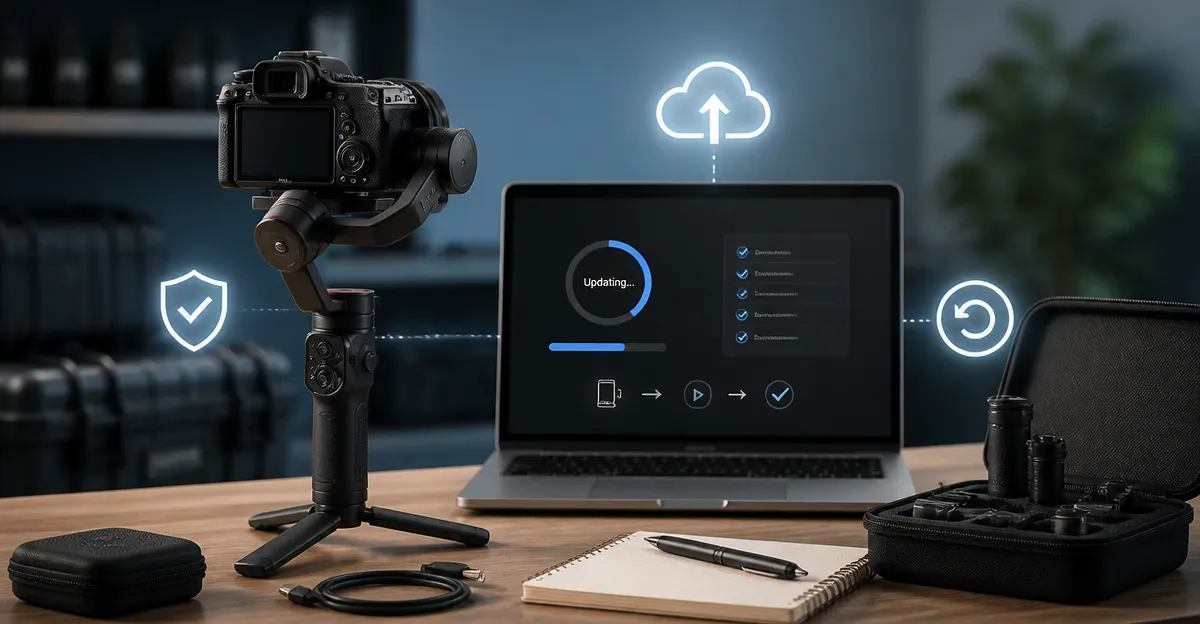
How to Update Gimbal Firmware Safely: Best Practices, Rollback Steps & Bricking Prevention
Introduction
Updating firmware on a gimbal can unlock new features, improve stability algorithms, and resolve connectivity issues. However, an improper update may render the device inoperable, a condition commonly known as bricking. This guide explains the full scope of safe firmware updates, provides detailed rollback procedures, and highlights best practices to prevent permanent damage. Readers will learn how to prepare their equipment, verify compatibility, execute the update, and recover from a failed flash.
The article also recommends several gimbals that benefit from frequent firmware improvements, including the DJI Osmo Mobile 7P, DJI RS 4, FeiyuTech SCORP 2, DJI Osmo Mobile 8, and DJI RS 3 Mini. Each product is discussed where its firmware update workflow adds tangible value.
Background and Context
Firmware is the low‑level software that controls motor response, sensor integration, and communication protocols. Gimbal manufacturers release updates to refine stabilization algorithms, add native tracking, improve battery management, and address security vulnerabilities. Because a gimbal relies on precise motor timing, any interruption during flashing can corrupt the bootloader, leaving the unit unable to start.
Most modern gimbals use a USB‑C or proprietary cable connection to a companion app. The app verifies the device’s serial number, checks for the latest version, and then streams the binary file. Understanding the role of the bootloader, the difference between OTA (over‑the‑air) and desktop‑based updates, and the importance of a stable power source are essential prerequisites.
In addition to the technical aspects, users should be aware of platform compatibility warnings. For example, the DJI Mimo app has been removed from Google Play for several models, requiring a manual download from the official DJI website. Ignoring such notices may result in an incomplete update.
Preparing for a Firmware Update
Preparation reduces the risk of failure. Follow these steps before initiating any update:
- Backup Settings: Export custom profiles, motor gain settings, and tracking presets from the companion app. Most apps provide a “Export Settings” button that creates a JSON file.
- Charge the Battery: Ensure the gimbal’s internal battery is at least 80 % charged. Some models, such as the DJI Osmo Mobile 7P, can draw power from a connected smartphone; however, a fully charged gimbal prevents power drops during flashing.
- Use a Reliable Cable: A certified USB‑C or Lightning cable reduces transmission errors. Avoid cheap, unshielded cables that may cause intermittent connections.
- Verify OS Compatibility: Install the latest version of the companion app from the manufacturer’s website. For the DJI RS series, download the DJI Ronin app directly from DJI’s support portal.
- Read the Release Notes: Identify whether the update addresses issues relevant to your workflow, such as improved dual‑lens tracking on the DJI Osmo Mobile 7P or new RSA port support on the DJI RS 4.
Executing the Firmware Update
The actual flashing process differs slightly between OTA and desktop methods. The following procedure applies to most OTA updates, which are the most common for mobile gimbals.
- Launch the companion app and navigate to the “Firmware” or “Software Update” section.
- Select the latest version listed. The app will display a summary of changes and the file size.
- Connect the gimbal to the mobile device using the recommended cable. Ensure the connection indicator shows a stable link.
- Press “Update”. The app will verify the device’s bootloader integrity, then begin streaming the firmware. Do not disconnect or lock the screen during this phase.
- When the progress bar reaches 100 %, the gimbal will reboot automatically. Verify the new firmware version in the app’s settings screen.
If the update fails, the app usually offers a “Retry” option. Repeating the process after a brief power cycle often resolves transient communication glitches.
Rollback Steps for Unwanted Firmware
Sometimes a new firmware version introduces bugs or removes features that are critical to a user’s workflow. DJI and FeiyuTech provide official rollback methods, although they may require a desktop utility.
General rollback workflow:
- Download the previous firmware package from the manufacturer’s support page. Verify the file checksum (SHA‑256) to ensure integrity.
- Install the desktop flashing tool (e.g., DJI Assistant 2 or FeiyuTech Gimbal Assistant) on a Windows or macOS computer.
- Connect the gimbal via USB‑C and place it in “Bootloader Mode”. This often involves holding a specific button combination while powering on.
- Load the older firmware file into the flashing tool and start the downgrade. The tool will warn about potential risks; confirm to proceed.
- After completion, the gimbal will restart. Re‑import any saved settings and verify that the previous feature set is restored.
Note that repeated rollbacks may wear the flash memory over time. Users should limit downgrades to essential cases and keep a record of firmware versions used in production environments.
Product Recommendations Where Firmware Matters
While the update process is similar across brands, certain models benefit more from frequent firmware improvements.
DJI Osmo Mobile 7P
The DJI Osmo Mobile 7P includes a Multifunctional Module that adds native tracking, audio, and lighting. Its 10‑hour battery life and magnetic phone clamp make it a favorite for solo creators. The device holds a 4.5‑star rating from over 7,200 reviewers and is priced at $99.00. Firmware updates frequently improve the AI tracking algorithm and extend compatibility with the DJI Mimo app.
DJI RS 4
The DJI RS 4 offers a 3‑kg payload capacity, 2nd‑generation vertical shooting, and a new RSA communication port for accessories. It is rated 4.5 stars by 990 reviewers and costs $469.00. Updates often add support for third‑party control handles and improve the Teflon‑coated axis arms for smoother balancing.
FeiyuTech SCORP 2
The FeiyuTech SCORP 2 provides integrated AI tracking, a 1.3‑inch touchscreen, and a 2.5‑kg payload. Priced at $179.00 with a 4.4‑star rating from 183 reviews, it targets DSLR and mirrorless users who need a compact yet powerful stabilizer. Firmware releases typically add Bluetooth stability enhancements and refine the touch‑screen UI.
DJI Osmo Mobile 8
The DJI Osmo Mobile 8 builds on the 7P’s features with improved ActiveTrack 6.0, a built‑in extension rod, and a 10‑hour battery that can charge a phone while filming. It is priced at $129.00 and holds a 4.3‑star rating from 3,445 reviewers. Firmware updates often enhance lighting control and introduce new shooting modes such as DynamicZoom.
DJI RS 3 Mini
The DJI RS 3 Mini is a lightweight (795 g) gimbal designed for mirrorless cameras. It supports a payload up to 2 kg, features a 1.4‑inch full‑color touchscreen, and provides native vertical shooting. At $199.00 and a 4.3‑star rating from 2,735 reviewers, it is ideal for travel videographers. Firmware updates frequently improve the 3rd‑generation stabilization algorithm and battery management.
Comparison and Selection Guide
Choosing the right gimbal for a workflow depends on payload, portability, and required features. The table below summarizes key criteria.
| Model | Payload | Battery Life | Key Firmware‑Sensitive Feature | Price |
|---|---|---|---|---|
| DJI Osmo Mobile 7P | Smartphone (max 300 g) | 10 hrs | Multifunctional Module AI tracking | $99.00 |
| DJI RS 4 | 3 kg | 12 hrs (extendable to 29.5 hrs with BG70 grip) | RSA port accessory support | $469.00 |
| FeiyuTech SCORP 2 | 2.5 kg | ~8 hrs | Integrated AI sensor & touchscreen | $179.00 |
| DJI Osmo Mobile 8 | Smartphone (max 300 g) | 10 hrs + phone charging | ActiveTrack 6.0 & built‑in lighting | $129.00 |
| DJI RS 3 Mini | 2 kg | ~6 hrs | 3rd‑gen stabilization algorithm | $199.00 |
For creators who primarily use smartphones, the Osmo Mobile 7P or 8 provide the most frequent OTA updates and the most robust native tracking. Professionals requiring heavier camera rigs should consider the DJI RS 4 or FeiyuTech SCORP 2, both of which receive desktop‑based firmware patches that address motor torque and axis friction.
Best Practices & Tips Beyond the Update
- Maintain a Clean USB Port: Dust or debris can cause intermittent connections that interrupt flashing.
- Document Firmware Versions: Keep a log of version numbers used on each device; this aids troubleshooting and ensures compliance with client specifications.
- Use a Stable Network: OTA updates download the firmware file from the manufacturer’s servers. A wired Ethernet connection on the mobile device (via an adapter) reduces the chance of corrupted downloads.
- Avoid Simultaneous Heavy Usage: Do not run other power‑intensive apps while flashing, as this may cause the device to throttle and drop the connection.
- Test After Update: Perform a quick stabilization test, such as a 360° pan, before heading to a shoot. Verify that tracking, battery indicator, and any new features operate as expected.
- Keep the Bootloader Updated: Some manufacturers release separate bootloader patches that improve flashing reliability. Check the support page for these files.
Frequently Asked Questions
- Can I update firmware without a computer? Yes, most DJI and FeiyuTech gimbals support OTA updates through their companion apps. However, rollbacks typically require a desktop utility.
- What should I do if the gimbal does not power on after a failed update? Place the device in bootloader mode (often by holding the power button while connecting the cable) and use the manufacturer’s recovery tool to re‑flash the original firmware.
- Is it safe to update firmware while the gimbal is attached to a camera? It is recommended to detach the camera during flashing to reduce mechanical load on the motors and to ensure a stable power draw.
- How often should I check for firmware updates? Checking once a month is sufficient for most users. Professional shooters may monitor the manufacturer’s release notes weekly during major production cycles.
- Will updating firmware void my warranty? Official updates distributed by DJI or FeiyuTech are covered under warranty. Using unofficial firmware or modifying the bootloader may void the warranty.
- Can I downgrade to a version older than the one originally shipped? Generally, manufacturers allow downgrades only to the most recent previous version. Older releases may be unavailable due to security patches.
- Do firmware updates affect battery life? Updated power‑management algorithms can either improve or slightly reduce runtime. Review the release notes for any changes to battery performance.
Conclusion
Firmware updates are a powerful tool for extending the capabilities of modern gimbals, but they must be approached with caution. By preparing the device, using reliable cables, following the manufacturer’s step‑by‑step instructions, and keeping a rollback plan ready, users can avoid the dreaded bricked state. The recommended models—DJI Osmo Mobile 7P, DJI RS 4, FeiyuTech SCORP 2, DJI Osmo Mobile 8, and DJI RS 3 Mini each benefit from regular firmware enhancements. Following the best practices outlined in this guide will ensure that creators can enjoy new features without compromising stability or risking equipment loss.
Products Featured in This Guide
DJI Osmo Mobile 7P
Price: $99.00 | Rating: 4.5/5 (7,212 reviews)
Featured for its Multifunctional Module that adds native tracking, audio, and lighting, making firmware updates highly impactful.
DJI RS 4
Price: $469.00 | Rating: 4.5/5 (990 reviews)
Featured for its high payload capacity, RSA port, and frequent professional‑grade firmware improvements.
FeiyuTech SCORP 2
Price: $179.00 | Rating: 4.4/5 (183 reviews)
Featured for its integrated AI sensor and touchscreen, which receive regular firmware upgrades that enhance tracking reliability.
DJI Osmo Mobile 8
Price: $129.00 | Rating: 4.3/5 (3,445 reviews)
Featured for its advanced ActiveTrack 6.0 and built‑in extension rod, which are frequently refined through firmware releases.
DJI RS 3 Mini
Price: $199.00 | Rating: 4.3/5 (2,735 reviews)
Featured for its lightweight design and 3rd‑generation stabilization algorithm, which benefits from regular firmware enhancements.